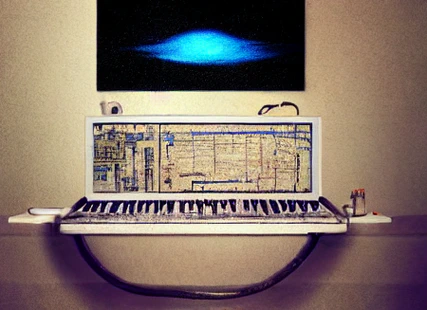
In this post, I will present a project I have been working on: a Python script that automatically generates music videos using artificial intelligence techniques and audio processing. Throughout the article, I will break down the code into sections to explain how it works and how each component contributes to the creation of these videos.
The code was run in Google Colaboratory and can be accessed at the following link:

Install Libraries
In the first code segment, the necessary libraries and tools are installed to run the script:
imagemagick: This tool is used to process and manipulate images in different formats.The ImageMagick policy file (
/etc/ImageMagick-6/policy.xml) is modified to allow reading and writing of images.Several PyTorch libraries are installed with specific versions:
torch: This is the main PyTorch package, a Python library for deep learning used in this project to implement artificial intelligence algorithms.torchvision: Contains utilities for working with images and applying transformations to them, as well as pretrained computer vision models.torchaudio: Provides tools for working with audio data and applying audio transformations.torchtext: Used to process and manipulate text data.torchdata: Facilitates the loading and preprocessing of datasets.
The
xformerslibrary is installed from a specific provided link. This library contains implementations of optimized and efficient transformers for natural language processing and computer vision tasks.Additional libraries are installed, such as:
diffusers: Facilitates the implementation of stable diffusion models, which are used in this project to generate images.transformers: Contains implementations of transformer-based natural language processing models, such as BERT and GPT.ftfy: A library for cleaning and normalizing text, fixing common encoding and formatting errors.pydub: Allows manipulation of audio files in different formats.accelerate: Provides an API for running deep learning models on multiple devices and hardware accelerators.
The
matcheringlibrary is installed, which is used to process and master audio files, adjusting the sound and quality of the automatically generated music files.Finally,
pytubeis installed, a library that allows downloading YouTube videos in Python.
This code segment is responsible for preparing the working environment, ensuring that all necessary dependencies are installed before starting to work with the main script.
!apt install imagemagick -qq > /dev/null
!cat /etc/ImageMagick-6/policy.xml | sed 's/none/read,write/g'> /etc/ImageMagick-6/policy.xml
!pip install -q torch==1.13.1+cu116 torchvision==0.14.1+cu116 torchaudio==0.13.1 torchtext==0.14.1 torchdata==0.5.1 --extra-index-url https://download.pytorch.org/whl/cu116 -U
!pip install -q https://github.com/camenduru/stable-diffusion-webui-colab/releases/download/0.0.17/xformers-0.0.17+b6be33a.d20230315-cp39-cp39-linux_x86_64.whl
!pip install -q -U diffusers transformers ftfy pydub accelerate
!pip install -q matchering
!pip install -q pytube
Runtime > Restart runtime.Import Libraries
The necessary libraries are imported for processing images, audio, and using deep learning algorithms. numpy and PIL (Python Imaging Library) are used to work with images and numerical arrays, while pydub, scipy.io.wavfile, and torchaudio are used to manipulate and process audio files. matchering is used for audio mastering. Finally, torch and diffusers provide the tools to implement artificial intelligence models, such as stable diffusion in this case.
import numpy as np
from PIL import Image
import pydub
from scipy.io import wavfile
import io
import typing as T
from pydub import AudioSegment
from IPython.display import Audio, display
import matchering as mg

import torch
from diffusers import StableDiffusionPipeline
import torchaudio
The next step is responsible for loading the model to automatically generate music:
A variable
model_id2is defined containing the path to the pretrained model called “riffusion-model-v1”. Riffusion is an application based on stable diffusion for generating music in real time Riffusion. This model is specifically designed to work with spectrograms, which allows generating music of different styles and genres.A
pipe2object is created using theStableDiffusionPipelineclass. Thefrom_pretrainedfunction loads the pretrained model specified bymodel_id2and sets the data type totorch.float16. By using the mixed-precision data typefloat16, memory consumption can be reduced and the performance of the music generation process can be improved.Finally, the
pipe2object is moved to the GPU using theto("cuda")method. This allows the model to run on the GPU, taking advantage of its parallel processing capability and accelerating music generation tasks.
model_id2 = "riffusion/riffusion-model-v1"
pipe2 = StableDiffusionPipeline.from_pretrained(model_id2, torch_dtype=torch.float16)
pipe2 = pipe2.to("cuda")
The following functions work together to generate music from a pretrained Riffusion model, converting spectrograms into audio files and vice versa.
get_music(audiofilename, prompt, musicAI_indx, duration=5): This function is used to generate music from a pretrained Riffusion model. The function takes as parameters the audio filename, the text input (prompt), the model index, and the desired duration of the music. The function creates a spectrogram and then converts it into an audio file in WAV and MP3 format. It returns the spectrogram and the name of the MP3 file.wav_bytes_from_spectrogram_image(image: Image.Image) -> T.Tuple[io.BytesIO, float]: This function takes a spectrogram image as input and returns anio.BytesIOobject containing the reconstructed WAV audio file data and the duration of the audio in seconds. The function performs the reconstruction using the inverse Mel transform and the Griffin-Lim algorithm.spectrogram_from_image(image: Image.Image, max_volume: float = 50, power_for_image: float = 0.25) -> np.ndarray: This function takes a spectrogram image as input and returns a spectrogram magnitude array. The function performs a series of operations on the image, such as inverting, changing the maximum volume, and applying an inverse power curve.waveform_from_spectrogram(...) -> np.ndarray: This function takes a spectrogram magnitude array as input and returns a reconstructed waveform. The function uses the inverse Mel transform and the Griffin-Lim algorithm to approximate the phase and reconstruct the waveform.mp3_bytes_from_wav_bytes(wav_bytes: io.BytesIO) -> io.BytesIO: This function takes anio.BytesIOobject containing WAV file data as input and returns anio.BytesIOobject containing the converted MP3 file data. The function uses thepydublibrary to perform the WAV to MP3 conversion.
#@title functions
def get_music(audiofilename, prompt, musicAI_indx, duration=5):
    mp3file_name = f"{audiofilename}.mp3"
    wavfile_name = f"{audiofilename}.wav"
    if musicAI_indx == 0:
        if duration == 5:
            width_duration=512
        else :
            width_duration = 512 + ((int(duration)-5) * 128)
        spec = pipe2(prompt, height=512, width=width_duration).images[0]
        print(spec)
        wav = wav_bytes_from_spectrogram_image(spec)
        with open(wavfile_name, "wb") as f:
            f.write(wav[0].getbuffer())


        #Convert to mp3, for video merging function
        wavfile = AudioSegment.from_wav(wavfile_name)
        wavfile.export(mp3file_name, format="mp3")
        return spec, mp3file_name


def wav_bytes_from_spectrogram_image(image: Image.Image) -> T.Tuple[io.BytesIO, float]:
    """
    Reconstruct a WAV audio clip from a spectrogram image. Also returns the duration in seconds.
    """

    max_volume = 50
    power_for_image = 0.25
    Sxx = spectrogram_from_image(image, max_volume=max_volume, power_for_image=power_for_image)

    sample_rate = 44100  # [Hz]
    clip_duration_ms = 5000  # [ms]

    bins_per_image = 512
    n_mels = 512

    # FFT parameters
    window_duration_ms = 100  # [ms]
    padded_duration_ms = 400  # [ms]
    step_size_ms = 10  # [ms]

    # Derived parameters
    num_samples = int(image.width / float(bins_per_image) * clip_duration_ms) * sample_rate
    n_fft = int(padded_duration_ms / 1000.0 * sample_rate)
    hop_length = int(step_size_ms / 1000.0 * sample_rate)
    win_length = int(window_duration_ms / 1000.0 * sample_rate)

    samples = waveform_from_spectrogram(
        Sxx=Sxx,
        n_fft=n_fft,
        hop_length=hop_length,
        win_length=win_length,
        num_samples=num_samples,
        sample_rate=sample_rate,
        mel_scale=True,
        n_mels=n_mels,
        max_mel_iters=200,
        num_griffin_lim_iters=32,
    )

    wav_bytes = io.BytesIO()
    wavfile.write(wav_bytes, sample_rate, samples.astype(np.int16))
    wav_bytes.seek(0)

    duration_s = float(len(samples)) / sample_rate

    return wav_bytes, duration_s


def spectrogram_from_image(
    image: Image.Image, max_volume: float = 50, power_for_image: float = 0.25
) -> np.ndarray:
    """
    Compute a spectrogram magnitude array from a spectrogram image.
    TODO(hayk): Add image_from_spectrogram and call this out as the reverse.
    """
    # Convert to a numpy array of floats
    data = np.array(image).astype(np.float32)

    # Flip Y take a single channel
    data = data[::-1, :, 0]

    # Invert
    data = 255 - data

    # Rescale to max volume
    data = data * max_volume / 255

    # Reverse the power curve
    data = np.power(data, 1 / power_for_image)

    return data


def waveform_from_spectrogram(
    Sxx: np.ndarray,
    n_fft: int,
    hop_length: int,
    win_length: int,
    num_samples: int,
    sample_rate: int,
    mel_scale: bool = True,
    n_mels: int = 512,
    max_mel_iters: int = 200,
    num_griffin_lim_iters: int = 32,
    device: str = "cuda:0",
) -> np.ndarray:
    """
    Reconstruct a waveform from a spectrogram.
    This is an approximate inverse of spectrogram_from_waveform, using the Griffin-Lim algorithm
    to approximate the phase.
    """
    Sxx_torch = torch.from_numpy(Sxx).to(device)

    if mel_scale:
        mel_inv_scaler = torchaudio.transforms.InverseMelScale(
            n_mels=n_mels,
            sample_rate=sample_rate,
            f_min=0,
            f_max=10000,
            n_stft=n_fft // 2 + 1,
            norm=None,
            mel_scale="htk",
            max_iter=max_mel_iters,
        ).to(device)

        Sxx_torch = mel_inv_scaler(Sxx_torch)

    griffin_lim = torchaudio.transforms.GriffinLim(
        n_fft=n_fft,
        win_length=win_length,
        hop_length=hop_length,
        power=1.0,
        n_iter=num_griffin_lim_iters,
    ).to(device)

    waveform = griffin_lim(Sxx_torch).cpu().numpy()

    return waveform


def mp3_bytes_from_wav_bytes(wav_bytes: io.BytesIO) -> io.BytesIO:
    mp3_bytes = io.BytesIO()
    sound = pydub.AudioSegment.from_wav(wav_bytes)
    sound.export(mp3_bytes, format="mp3")
    mp3_bytes.seek(0)
    return mp3_bytes
Functions for Creating Audio from a List of Words
The following functions work together to generate music from a list of words, apply audio effects such as crossfade and fades, and improve audio quality through automatic mastering.
list_get_music(list_variables, texto_prompt, dur=5): This function takes a list of strings, a prompt, and the music duration. For each string in the list, it generates music using theget_musicfunction with the specified prompt and duration. The generated music files are saved with names based on their index in the list.list_display_audio(list_variables): This function takes a list of strings and plays the audio files previously generated bylist_get_music. It uses theIPython.display.Audiomodule to play the audio files in MP3 format.n_times(number_segments, n_times=3): This function takes the number of audio segments and the desired number of repetitions. It multiplies the repetitions of each audio segment and saves the results in WAV files.n_times_segments(number_segments, n_times=3): This function takes the number of audio segments and the desired number of repetitions. It multiplies the repetitions of each audio segment and returns a list ofAudioSegmentobjects with the repeated segments.audio_segments_concat(songs_list, crossfade=2000, fade_in=2000, fade_out=3000, out_filename="full_song.wav"): This function takes a list ofAudioSegmentobjects, crossfade, fade in, fade out values, and an output filename. It concatenates the audio segments with crossfade, applies fade in at the beginning and fade out at the end, and saves the result in a WAV file.crear_fades(seg_inicial=0, seg_final=6, fade_in=3000, fade_out=3000): This function takes the indices of the initial and final segments, and the fade in and fade out values. It applies fade in to the initial segment and fade out to the final segment, and saves the results in WAV files.mejoras_audio(number_segments=7, master_reference='audio.mp4'): This function takes the number of audio segments and a mastering reference file. It converts each audio segment from mono to stereo, applies automatic mastering using the reference file, and saves the results in WAV files. It also removes the temporary files created during the process.
from os import lstat
import os

def list_get_music(list_variables:list,
                   texto_prompt: str,
                   dur:int=5) -> None:
  """Takes a list of strings and a prompt and generates sounds with riffusion"""

  for number, str_var in enumerate(list_variables):
    prompt = f"{str_var} {texto_prompt}"
    get_music(f"{number}",prompt=prompt, musicAI_indx=0, duration=dur)


def list_display_audio(list_variables:list)->None:
  """display audio of sounds generated by riffusion"""

  for number, _ in enumerate(list_variables):
    display(Audio(f'{number}.mp3'))

def n_times(number_segments:int,
            n_times:int=3) -> None:
  """multiply the repetitions of the audio files and then
  save them"""

  for number in range(number_segments):
    song = AudioSegment.from_wav(f'{number}.wav')
    song = song *n_times
    song.export(f'{number}_times.wav',format='wav')

def n_times_segments(number_segments:int,
                     n_times:int=3) -> list:
  """multiply the repetitions of the segments and then
  concatenate them in a list"""

  songs_list = []
  for number in range(number_segments):
    song = AudioSegment.from_wav(f'{number}.wav')
    song = song *n_times
    songs_list.append(song)
  return songs_list

def audio_segments_concat(songs_list:list,
                          crossfade:int = 2000,
                          fade_in:int = 2000,
                          fade_out:int = 3000,
                          out_filename:str = "full_song.wav"):
  full_song = songs_list[0]
  for song_segment in songs_list[1:]:
    full_song = full_song.append(song_segment, crossfade=crossfade)

  # fade in and fade out
  full_song = full_song.fade_in(fade_in).fade_out(fade_out)
  #store song
  full_song.export(out_filename,format='wav')
  print(f"File {out_filename} stored")

def crear_fades(seg_inicial:int =0,
                seg_final:int = 6,
                fade_in:int = 3000,
                fade_out:int = 3000):

  inicial = AudioSegment.from_wav(f'{seg_inicial}_times.wav')
  inicial = inicial.fade_in(fade_in)
  inicial.export(f'{seg_inicial}_times.wav',format='wav')

  final = AudioSegment.from_wav(f'{seg_final}_times.wav')
  final = final.fade_out(fade_out)
  final.export(f'{seg_final}_times.wav',format='wav')

def mejoras_audio(number_segments:int=7,
                  master_reference:str = 'audio.mp4'):
  "Convert audio from Mono to Stereo and then apply automatic mastering"

  for number in range(number_segments):
    song = AudioSegment.from_wav(f'{number}_times.wav')
    #convert to stereo
    song = song.set_channels(2)
    song.export(f'{number}_stereo.wav',format='wav')

    mg.process(
      # The track you want to master
      target=f"{number}_stereo.wav",
      # Some "wet" reference track
      reference=master_reference,
      # Where and how to save your results
      results=[
        mg.pcm16(f"{number}_master.wav")
      ],
     )
    os.remove(f"{number}_stereo.wav")
    os.remove(f"{number}_times.wav")
Audio for the Same Word
Generating audio for the same word
# List of generator variables
word = "learning" #@param {type:"string"}
prompt = "lofi programming with python" #@param {type:"string"}
palabra = (f"{word} "*7).split()
Generate audio files with a variable list and a fixed prompt, with a set duration of 10 seconds, which is the limit allowed by the free version of Google Colab.
list_get_music(palabra,prompt,10)
Display the generated audio files
list_display_audio(palabra)
Increase the duration of the generated audio files by multiplying by 3 to get 30 seconds
n_times(len(palabra), n_times=3)
Apply fade in and fade out to the generated audio files to create smooth transitions between segments.
crear_fades(0,6,3000,3000)
Download a reference audio file for automatic mastering
from pytube import YouTube as YT
import threading as th
video   = YT('https://www.youtube.com/watch?v=NMKsn5puEsQ', use_oauth=True, allow_oauth_cache=False)
video.streams.get_by_itag(140).download()
Automatically master the audio files using the Python library Matchering
mejoras_audio(len(palabra), 'Bookoo Bread Co Instrumental - Scallops Hotel.mp4')
Create Images for the Video
This code block is necessary to create the images that will go in the video:
It defines a variable
img_model_idcontaining the path to the pretrained model called “runwayml/stable-diffusion-v1-5”. This model is designed to work with images and is based on stable stochastic diffusion, which allows generating high-quality images with a wide variety of styles and themes.It creates an
img_pipeobject using theStableDiffusionPipelineclass. Thefrom_pretrainedfunction loads the pretrained model specified byimg_model_idand sets the data type totorch.float16. By using the mixed-precision data typefloat16, memory consumption can be reduced and the performance of the image generation process can be improved.Next, the
img_pipeobject is moved to the GPU using theto("cuda")method. This allows the model to run on the GPU, taking advantage of its parallel processing capability and accelerating image generation tasks.Finally, efficient memory attention is enabled for the transformers within the model using the
enable_xformers_memory_efficient_attention()method. This optimization allows reducing GPU memory consumption during inference, which can be useful for generating high-resolution images or running the model on devices with limited resources.
img_model_id = "runwayml/stable-diffusion-v1-5"
img_pipe = StableDiffusionPipeline.from_pretrained(img_model_id, torch_dtype=torch.float16, revision="fp16")
img_pipe = img_pipe.to("cuda")
img_pipe.enable_xformers_memory_efficient_attention()
This code block defines a function called create_images that takes as arguments a list of strings (list_variables) and a text prompt (text_prompt). The function aims to generate images from the elements in the variable list using the previously loaded stable diffusion model.
The function performs the following actions:
It iterates over the variable list and their indices using
enumerate(list_variables).For each variable in the list, it creates a complete prompt by concatenating the variable and the provided
text_prompt. Thus, the complete prompt includes additional information that guides the model to generate high-quality images, such as “artstation hall of fame gallery” and “editors choice”.It uses the previously loaded
img_pipeobject to generate an image from the complete prompt. Theimg_pipefunction returns an object containing a list of images, and it selects the first image from the list withimages[0].It saves the generated image to a PNG file using the variable’s index in the list as the filename (for example, “0.png”, “1.png”, etc.).
In summary, this function creates images using the stable diffusion model from a list of variables and a text prompt, and saves the generated images to PNG files.
def create_images(list_variables:list,
                  text_prompt:str)->None:

  for number, str_var in enumerate(list_variables):
    prompt = f"{str_var} {text_prompt}"
    image = img_pipe(prompt + ", artstation hall of fame gallery, editors choice, #1 digital painting of all time, most beautiful image ever created, emotionally evocative, greatest art ever made, lifetime achievement magnum opus masterpiece, the most amazing breathtaking image with the deepest message ever painted, a thing of beauty beyond imagination or words").images[0]
    image.save(f"{number}.png")
Create images for the video
create_images(palabra*2, prompt)
Display the generated images
from IPython.display import Image as display_image
imagenes2 = [f"{x}.png" for x in range(7)]
for img in imagenes2:
  display(display_image(filename=img))
Create the Final Video
This code creates a 1900x1080 video from a series of images and audio segments, applying transition and resizing effects, and adding a black background and text to the final video.
It creates a base black image of 1900x1080 pixels and saves it as ‘black.jpg’. This image will be used as the background in the final video so that it has high resolution.
It imports the necessary libraries for video and audio processing, such as
moviepy.editor,pathlib.Path, andmoviepy.video.fx.resize.The
creacion_video_segmentos(numero_segmentos)function takes thenumero_segmentosargument indicating the number of audio and image segments to use. The function creates a list of video clips, where each clip consists of an image and its corresponding audio segment. The list of video clips is returned at the end of the function.The
Final_concatenar_crossfade(lista_videos, custom_padding=1, nombre='lofi')function takes a list of video clips, a custom padding value, and a name for the final video. This function creates a final video through the following actions:a. It applies a slide transition to each video clip in the list and concatenates the clips with negative padding, which creates a crossfade effect between the clips.
b. It resizes the resulting video to 1080x1080 pixels and places the previously created black background behind this video.
c. It adds text with the video name at a specific position.
d. It combines the video and text into a single video object and sets the duration of the final video.
e. It writes the final video to an MP4 file with the provided name, using 24 frames per second and the ‘aac’ audio codec.
#create base black image
from PIL import Image;
Image.new('RGB',
          (1900, 1080),
          color = (0,0,0)).save('black.jpg')
from moviepy.editor import *
from pathlib import Path
from moviepy.video.fx.resize import resize
def creacion_video_segmentos(numero_segmentos:int) -> list:
  video_clips = []

  #list images files
  for number in range(numero_segmentos):
    clip_audio = AudioFileClip(f"{number}_master.wav").set_start(0)
    clip_video = ImageClip(f"{number}.png", duration=clip_audio.duration)
    clip_video = clip_video.set_audio(clip_audio)
    video_clips.append(clip_video)
  return video_clips

def Final_concatenar_crossfade(lista_videos:list,
                         custom_padding:int=1,
                         nombre:str = 'lofi'):

  slided_clips = [CompositeVideoClip([clip.fx( transfx.slide_out, custom_padding, 'bottom')]) for clip in lista_videos]
  video_slides = concatenate( slided_clips, padding=-1)
  video_slides = resize(video_slides, width=1080, height=1080)
  black_image = ImageClip("black.jpg")
  final = CompositeVideoClip([black_image, video_slides.set_position("center")])
  final = final.set_duration(video_slides.duration)

  ## TODO Add the song name

  # create a TextClip object with the desired text
  text_clip = TextClip(nombre,
                       font="Amiri-regular",
                       fontsize=40,
                       color='grey40')
  # set the position of the text clip
  text_clip = (text_clip
               .set_position((100, 900))
               .set_start(0)
              )
  final = CompositeVideoClip([final, text_clip])

  # FINAL ASSEMBLY
  final_video_audio = CompositeVideoClip([final, text_clip]).set_duration(video_slides.duration)

  final_video_audio.write_videofile(f"{nombre}.mp4",
                              fps=24,
                              threads = 2,
                              audio_codec='aac',
                              audio=True)
Code to create each of the audio segments
lista_videos = creacion_video_segmentos(7)
Final creation of the video by concatenating the previously generated segments
# Final Video Creation
concatenar_crossfade(lista_videos,1, word)
In this post, we have explored how to use stable diffusion models to generate music and images from a list of variables and a text prompt. We then used the MoviePy library to combine these images with corresponding audio segments and create a video with smooth transitions and resizing effects.
This process illustrates how it is possible to combine artificial intelligence techniques and video processing to create unique and personalized audiovisual products from individual elements such as images and audio segments.
Next Album
- These generated videos only have static images; the next album will feature videos with dynamic images.
- The Riffusion audio still has quality limitations; the next album will use a new audio generation tool such as https://github.com/facebookresearch/audiocraft
- MoviePy is a tool for automating the creation of videos.